Is Your Internet Sabotaging Your Game? Find a Connection Built for Winning
Tired of lag? We break down which internet providers offer the low latency, high speeds, and unlimited data that serious gamers need to win.
The best internet for gaming is a fiber-optic connection from providers like AT&T Fiber, Verizon Fios, or Frontier Fiber because it offers the lowest latency (ping) and symmetrical speeds. While raw download speed gets all the attention, it's actually latency—the response time of your connection—that makes the biggest difference between winning and losing in fast-paced online games. A low-latency fiber connection ensures your actions are registered instantly, giving you a critical competitive edge.
This guide cuts through the marketing jargon to explain what truly matters for a top-tier gaming experience. We'll explore why ping is king, how much speed you actually need, and which technologies and providers deliver the performance modern gaming demands. Whether you're a competitive esports player, a dedicated streamer, or just tired of frustrating lag spikes, we'll help you find a connection that can keep up with you. The right plan is out there, and finding it starts with knowing what to look for at your specific address.
What Really Makes an Internet Connection Good for Gaming?
A good gaming connection prioritizes low latency (ping) and stability above all else, followed by fast download and upload speeds with no data caps. While advertisers often focus solely on download speed, latency is the measurement of how quickly your device can send a signal to the game server and get a response. For competitive games like first-person shooters or MOBAs, where split-second reactions matter, a low ping is the most critical factor for a smooth, responsive experience.
Beyond latency, you need sufficient download speed to get large game files and updates onto your console or PC without waiting for days. A minimum of 100 Mbps is a good starting point. Upload speed is equally important if you stream your gameplay on platforms like Twitch or YouTube, as it determines the quality of your broadcast. Finally, stability, often measured by low 'jitter' (variation in ping), prevents the random lag spikes that can ruin a match. And with games now regularly exceeding 100 GB, an unlimited data plan is a must-have to avoid surprise overage charges.

Which Type of Internet Technology Is Best for Gaming?
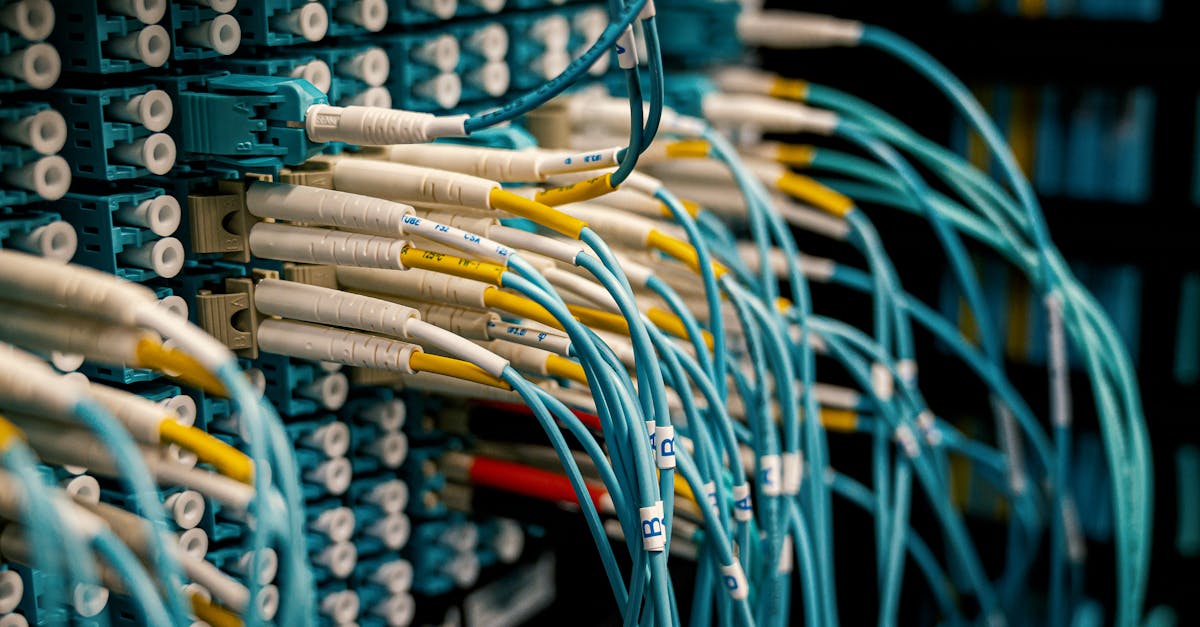
Fiber-optic internet is unequivocally the best type of connection for gaming due to its extremely low latency and symmetrical upload and download speeds. Because fiber sends data as pulses of light over glass strands, it has significantly lower ping times and is less susceptible to network congestion than other technologies. This results in the most stable and responsive gameplay experience possible.
Cable internet is a very close second and an excellent, widely available option for gamers. It offers high download speeds and relatively low latency that's suitable for almost all online gaming. The main drawback compared to fiber internet is that upload speeds are typically much slower than download speeds. While less of an issue for playing games, this can be a bottleneck for streamers. 5G home internet is a viable option for casual gaming, but its reliance on cellular signals can lead to higher and less consistent latency than a wired connection. For serious gamers, we generally recommend avoiding DSL and satellite internet, as their underlying technology often results in high latency that makes fast-paced online gaming nearly impossible.
How Much Internet Speed Do I Actually Need for Gaming?
For the act of playing an online game, you only need about 10-25 Mbps of download speed and 5-10 Mbps of upload speed, but a plan with at least 100-300 Mbps is highly recommended for downloading large games and updates quickly. The actual data transfer during gameplay is minimal; the priority is the speed and consistency of that transfer (latency), not the volume. A 25 Mbps connection can handle the in-game data stream perfectly fine.
The real reason gamers need faster plans is to manage the enormous size of modern games. A 150 GB game like Call of Duty can take over 24 hours to download on a 25 Mbps connection, versus under an hour on a 500 Mbps plan. With frequent, multi-gigabyte patches being the norm, a faster connection means less time waiting and more time playing. It also ensures that other activities in your household, like someone streaming 4K video, don't interfere with your game's bandwidth and cause lag spikes.
| Internet Speed | Estimated Download Time |
|---|---|
| 25 Mbps | ~9 hours |
| 100 Mbps | ~2.2 hours |
| 300 Mbps | ~45 minutes |
| 500 Mbps | ~27 minutes |
| 1 Gbps (1,000 Mbps) | ~14 minutes |
Which Providers Offer the Best Internet for Gaming?
Providers with extensive fiber-optic networks, such as AT&T Fiber, Verizon Fios, and Google Fiber, consistently offer the best performance for gaming due to their technology's inherent advantages in latency and speed. For those without fiber access, cable providers like Xfinity and Spectrum offer high-speed plans with low enough latency to be excellent choices for nearly any gamer. The best option for you ultimately depends on which of these providers are available at your specific address.
Fiber providers are the top recommendation because they deliver symmetrical speeds (equal download and upload) and the lowest possible ping. This is ideal for both playing and streaming. AT&T Fiber and Verizon Fios are two of the largest and most highly-rated fiber providers in the US. Cable internet from companies like Xfinity and Spectrum is the next-best thing, offering gigabit download speeds and solid reliability. While their upload speeds lag behind fiber, they are more than sufficient for a lag-free gaming experience. You can check what's available at your address to see which of these top-tier options serves your home.
| Provider | Connection Type | Key Gaming Advantage | Data Cap |
|---|---|---|---|
| AT&T Fiber | Fiber | Extremely low latency, symmetrical speeds | None |
| Verizon Fios | Fiber | Excellent reliability and low ping | None |
| Xfinity | Cable | Widely available, very high download speeds | 1.2 TB (in some areas) |
| Spectrum | Cable | Good speeds with no data caps | None |
| T-Mobile Home Internet | 5G Home Internet | Simple setup, no contract | None |
How Can I Reduce Lag and Improve My Connection?
The most effective way to reduce gaming lag is to use a wired Ethernet connection from your console or PC directly to your router, as this provides a more stable and faster link than Wi-Fi. A physical cable bypasses wireless interference from other devices, walls, and neighboring networks, which is a common cause of frustrating lag spikes and packet loss. This single change can dramatically improve the consistency of your gaming experience.
If a wired connection isn't possible, there are still several steps you can take to optimize your setup. First, make sure your router is centrally located and not obstructed. Consider upgrading to a modern Wi-Fi 6 router or a mesh system for better coverage. Many gaming-focused routers also feature Quality of Service (QoS) settings, which allow you to prioritize traffic to your gaming device. Additionally, you should always close background applications that consume bandwidth, such as video streams or large file downloads, while you're playing. Finally, a simple router reboot can often resolve temporary connection issues.

How Much Does Good Internet for Gaming Cost?
A high-quality internet plan suitable for serious gaming typically costs between $50 and $80 per month for speeds ranging from 300 Mbps to a gigabit. Fiber plans often provide the best value within this price range, delivering top-tier performance at a cost comparable to mid-tier cable plans. Prices can vary significantly based on your location and the level of competition among providers in your area.
Several factors influence the final price. Promotional rates for new customers usually last for 12 or 24 months before increasing to a higher standard rate. Many providers also charge a monthly equipment rental fee of $10-$15 for their modem or router, though some allow you to use your own compatible equipment to avoid this cost. Be mindful of data caps; while many providers like Spectrum and fiber companies offer unlimited data, some cable providers may charge extra if you exceed a monthly threshold. To find the best value, it's crucial to compare all the internet deals available at your address.

Ready to Find a Lag-Free Connection?
The best gaming internet isn't just about the fastest advertised speed; it's about the quality and stability of the connection, which starts with the right technology. Because provider availability is hyper-local, the first step is to see which options are actually wired to your home. A 300 Mbps fiber plan will almost always outperform a 1,000 Mbps cable plan for gaming due to lower latency, so don't get fixated on the gigabit number alone.
Finding the right fit is easy. At KonnectX, we help you instantly compare every internet provider—from national giants like AT&T and Xfinity to local fiber companies—available at your exact address. Enter your address on our availability page to see a clear, side-by-side comparison of plans, prices, and speeds. If you prefer to talk it through, our experts are ready to help you find the perfect plan for your gaming needs and budget, all at the same price as ordering directly from the provider.
Key takeaways
- Latency (ping) is more important than raw download speed for responsive online gaming. Aim for a ping under 50ms, with under 20ms being ideal.
- Fiber-optic internet is the best technology for gaming because it offers the lowest latency and symmetrical upload/download speeds.
- While gameplay itself doesn't use much bandwidth, a plan with at least 100-300 Mbps is recommended for quickly downloading today's massive games and updates.
- For maximum stability and the lowest possible lag, always use a wired Ethernet connection instead of Wi-Fi whenever possible.
- Choose a plan with unlimited data, as game downloads, patches, and streaming can easily exceed the data caps imposed by some providers.
FAQ
Is 100 Mbps fast enough for gaming?
Yes, 100 Mbps is fast enough for the actual gameplay of any online game. The main benefit of higher speeds, like 300 Mbps or more, is to significantly reduce the time it takes to download large games and system updates.
What is a good ping for gaming?
A good ping for gaming is anything below 50 milliseconds (ms). For competitive gaming, a ping under 20ms is considered excellent and provides a noticeable advantage in responsiveness.
Is Wi-Fi okay for gaming?
While modern Wi-Fi can be okay for casual gaming, a wired Ethernet connection is always recommended for serious or competitive gaming. A wired connection is more stable and is not susceptible to the interference and latency spikes common with wireless signals.
Does upload speed matter for gaming?
Upload speed is not very important for playing online games, which typically requires less than 5 Mbps. However, it is extremely important if you stream your gameplay on platforms like Twitch, where a higher upload speed (10 Mbps or more) is needed for a high-quality broadcast.
Is satellite internet good for gaming?
No, satellite internet is generally not good for online gaming. Due to the vast distance the signal must travel to a satellite in orbit and back, it has extremely high latency (over 500ms), making most fast-paced online games unplayable.
Will a 'gaming router' improve my internet speed?
A gaming router cannot improve the speed of the internet plan you pay for, but it can improve your home network. Features like Quality of Service (QoS) can prioritize traffic to your gaming device, potentially reducing lag caused by other people using the internet in your home.
Which is better for gaming: fiber or cable internet?
Fiber internet is better for gaming than cable internet. While both offer low latency, fiber typically has even lower ping and provides symmetrical upload and download speeds, which is a significant advantage for game streaming and overall performance.
How do I check my internet's latency?
You can check your internet's latency, or ping, by running a speed test on any major speed testing website. The test will show your ping in milliseconds (ms) to a nearby server, along with your download and upload speeds.