
Is Gigabit Internet Worth It? A 2026 Guide for Your Home
Gigabit internet offers blazing-fast speeds, but is it overkill for your home? We break down who really needs it, the benefits, and how to find the right plan.
Gigabit internet has become the new benchmark for premium home internet service. Promising download speeds of around 1,000 megabits per second (Mbps)—or 1 gigabit per second (Gbps)—it represents a massive leap from the 100-300 Mbps plans that many households currently use. This level of speed, typically delivered over a fiber-optic network, can download a full 4K movie in under a minute and handle the demands of almost any online activity without breaking a sweat. Providers like AT&T Fiber, Verizon Fios, and Xfinity all heavily market their gigabit and even multi-gigabit plans as the ultimate internet experience.
But with this premium performance comes a premium price tag. This leaves many people asking a simple question: is gigabit internet actually worth it for my home? The answer isn't a simple yes or no. It depends entirely on how you and your family use the internet. For a solo streamer and web browser, it's likely overkill. But for a large family of gamers, remote workers, and content creators, it might be a necessity. This guide will walk you through the real-world benefits, who truly needs these speeds, and how to decide if a gigabit plan is the right investment for you.
What Can You Actually Do With Gigabit Speeds?
It can be difficult to visualize what a 1,000 Mbps connection actually feels like. In practical terms, it’s about eliminating waiting. With a gigabit plan, the bottlenecks that cause buffering, lag, and slow downloads almost completely disappear. For example, downloading a massive 100 GB video game, which could take hours on a standard 100 Mbps connection, can be finished in about 15 minutes. Backing up your entire computer to a cloud service happens seamlessly in the background without slowing down anything else you're doing.
This abundance of bandwidth is most noticeable when multiple people and devices are active at once. Imagine a household where one person is on a critical Zoom call for work, another is streaming a 4K series on Netflix, a third is in an intense online gaming match, and multiple smart home devices are running. On a slower connection, this scenario would likely lead to stuttering video, game lag, and frustration. With gigabit internet, the connection can handle all of this simultaneous traffic with ease, ensuring everyone has a smooth, uninterrupted experience. It's less about making one thing faster and more about making everything fast, all the time.

Who Really Needs Gigabit Internet?
While gigabit internet sounds impressive, only certain types of users will be able to take full advantage of the speed they're paying for. If your household fits into one or more of these categories, a gigabit plan is likely a smart investment.
First are the large, tech-heavy households. If you have four or more people who are frequently online at the same time, your bandwidth needs add up quickly. Each 4K stream consumes about 25 Mbps, video calls need a stable 5-10 Mbps, and online gaming requires a consistently low-latency connection. When everyone is active in the evening, a 300 Mbps plan can get stretched thin. A gigabit plan provides more than enough capacity to prevent digital traffic jams and keep the peace.
The second group includes content creators and professionals working with large files. Video editors, photographers, YouTubers, and software developers who regularly upload and download multi-gigabyte files will see a dramatic improvement in their workflow. This is especially true with fiber-optic gigabit plans that offer symmetrical speeds—meaning your upload speed is as fast as your download speed. Slashing a one-hour upload down to a few minutes can translate into significant time saved every single day. The same applies to remote workers who need to access large corporate networks or collaborate on massive cloud-based projects.
Finally, serious online gamers and tech enthusiasts stand to benefit. While gaming itself doesn't use a ton of bandwidth, downloading new games and massive updates does. More importantly, the high-quality infrastructure that delivers gigabit speeds, especially fiber, often provides lower latency (or ping), which is critical for competitive online play. For households with numerous smart home devices, from security cameras uploading video to the cloud to dozens of smart speakers and lights, a gigabit connection ensures your network runs smoothly without a hiccup.

When Is Gigabit Internet Overkill?
For a significant portion of internet users, paying extra for a 1,000 Mbps plan is simply unnecessary. If your online habits are modest, you can get a perfectly good experience with a much more affordable plan and put the savings toward something else. For smaller households of one or two people, a plan offering 100 to 300 Mbps is typically more than enough. These speeds can easily handle a couple of 4K streams, web browsing, social media, and video calls without any issues.
It's also important to consider the limitations of your own hardware. You can pay for the fastest internet in the world, but you'll never experience it if your equipment can't keep up. An older Wi-Fi router, for example, can act as a major bottleneck. If your router only supports older standards like Wi-Fi 4 (802.11n) or Wi-Fi 5 (802.11ac), it won't be able to deliver gigabit speeds wirelessly throughout your home. Similarly, your laptop, smartphone, or smart TV needs to have modern Wi-Fi capabilities to connect at those top speeds. Unless you're prepared to upgrade your home network gear, a gigabit plan might be a waste of money.
Ultimately, budget is a key factor. Gigabit plans are a premium service with a premium price. If you find that your current internet plan is meeting your needs without constant buffering or slowdowns, there's little reason to upgrade. The principle of "if it ain't broke, don't fix it" applies perfectly here. It's better to be on a reliable and affordable 300 Mbps plan than to overpay for bandwidth you'll never use.

How Do You Get Gigabit Speeds? Fiber vs. Cable
Gigabit speeds are delivered to your home through different types of technology, and the one you choose can significantly impact your experience. The two most common methods are fiber-optic and cable internet.
Fiber-optic internet is widely considered the gold standard. Companies like AT&T Fiber, Verizon Fios, and Frontier Fiber run glass cables directly to your home, transmitting data as pulses of light. This technology is incredibly fast, stable, and reliable. Its biggest advantage is offering symmetrical speeds, meaning your upload speeds are just as fast as your download speeds (e.g., 1,000 Mbps download and 1,000 Mbps upload). This is a game-changer for video conferencing, uploading large files, and live streaming. Fiber is also more future-proof, with the capacity to handle even faster multi-gigabit speeds as they become more common.
Cable internet, offered by providers like Xfinity and Spectrum, is the other major player. It uses the same coaxial cable network that delivers cable television. While it can achieve gigabit download speeds, its upload speeds are typically much lower—a 1,000 Mbps plan might only have an upload speed of 35 Mbps. This is known as an asymmetrical connection. For most users who primarily consume content (streaming, browsing, downloading), this is perfectly fine. However, for the power users mentioned earlier, the slow upload speeds can be a significant drawback compared to fiber. That said, cable is often more widely available than fiber and can be a great option if fiber hasn't reached your neighborhood yet.

Your Router and Devices Matter, Too
Signing up for a gigabit internet plan is only the first step. To actually get those speeds on your devices, you need a home network that can handle the performance. Your internet service is only as fast as its weakest link, and that weak link is often an outdated Wi-Fi router.
To make the most of a gigabit connection, you'll want a router that supports at least the Wi-Fi 6 (802.11ax) standard. Wi-Fi 6 is designed for higher speeds, better efficiency, and improved performance in homes with many connected devices. An older Wi-Fi 5 router will struggle to deliver speeds above a few hundred Mbps over the air, effectively capping your wireless performance. For the absolute best results, a Wi-Fi 6E router can provide an even faster, less congested connection for compatible devices by using the new 6 GHz band.
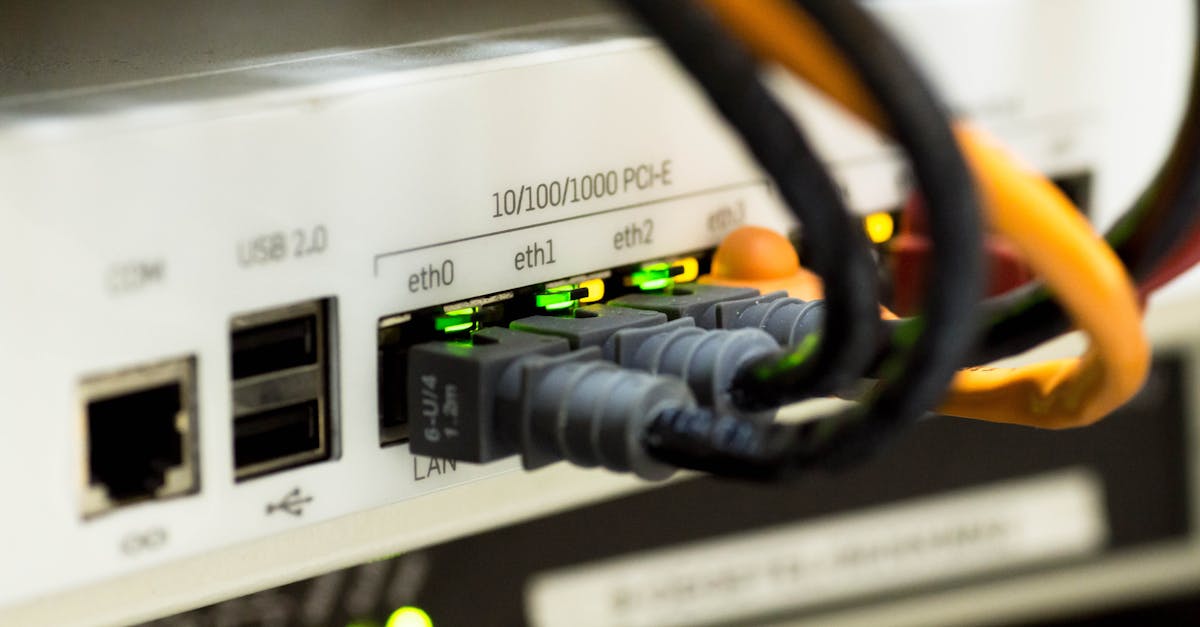
The devices you use also play a crucial role. A brand-new laptop with a Wi-Fi 6E chip will see much faster speeds than a five-year-old smartphone. For stationary devices where speed is critical, like a gaming PC, streaming box, or workstation, the best solution is to bypass Wi-Fi altogether. A wired Ethernet connection from your device directly to the router will always provide the fastest, most stable, and lowest-latency connection possible, ensuring you get every bit of speed you're paying for.
How to Find the Right Internet Speed for Your Home
Choosing the right internet speed is a balancing act between performance and price. Instead of just defaulting to the fastest plan available, take a moment to assess your household's actual needs. Start by making a list of how many people are in your home and what their primary online activities are. Do you have multiple people working from home on video calls? Are there serious gamers who need low latency? How many devices are streaming 4K video at the same time? Answering these questions will give you a much clearer picture of your bandwidth requirements.
Once you have an idea of the speed you need, the next step is to see what's actually available at your address. Internet options can vary dramatically from one neighborhood to the next, or even from one apartment building to another. This is where a service like KonnectX can simplify the process immensely. Instead of spending hours checking the websites of every individual provider, you can enter your address once and see a comprehensive list of every plan available to you—from fiber and cable to 5G home internet and satellite. This allows you to easily compare speeds, technologies, and pricing side-by-side.
Seeing all your options in one place helps you make a truly informed decision. You might discover that a 500 Mbps fiber plan from one provider offers better value and performance (thanks to symmetrical speeds) than a 1,000 Mbps cable plan from another. After you compare, you can order the plan you want right over the phone with a KonnectX specialist, all at the same price as going directly to the provider. It's a straightforward way to ensure you're getting the best possible service for your needs without overpaying for speed you won't use.
Key takeaways
- Gigabit internet (1,000 Mbps) is best for large households, content creators, remote workers with large files, and serious online gamers.
- For most individuals and smaller households, a 100-500 Mbps plan is more than sufficient for streaming, browsing, and video calls.
- Fiber-optic internet is the best technology for gigabit speeds because it offers symmetrical upload and download performance.
- To get full gigabit speeds, you need a modern Wi-Fi 6 (or newer) router and devices that can support the high speeds.
- Use an address-based comparison tool to see all available providers and speed tiers in your area before making a decision.
FAQ
Do I need a special router for gigabit internet?
Yes, to get the most out of a gigabit plan, you should use a router that supports the Wi-Fi 6 (802.11ax) or Wi-Fi 6E standard. An older router will act as a bottleneck and won't deliver gigabit speeds over your wireless network.
What's the difference between gigabit and 5G internet?
Gigabit is a speed tier (1,000 Mbps), while 5G is a wireless technology. Gigabit speeds are most often delivered by wired fiber or cable lines. 5G home internet uses cellular signals to provide service, and while it can be very fast, its speeds and latency can be more variable than a direct fiber connection.
Is 1 gigabit the same as 1 gigabyte?
No. Internet speeds are measured in megabits (Mb) or gigabits (Gb) per second, while file sizes are measured in megabytes (MB) or gigabytes (GB). There are 8 bits in a byte, so a 1,000 Mbps connection can theoretically download a 1 GB file in about 8 seconds.
Will gigabit internet stop my videos from buffering?
In most cases, yes. A gigabit connection provides more than enough bandwidth to stream multiple 4K videos without buffering. However, buffering can also be caused by a weak Wi-Fi signal, an outdated device, or issues with the streaming service itself.
How can I test my current internet speed?
You can use a free online speed test tool from a web browser. These tests will show you your current download speed, upload speed, and ping (latency). For the most accurate result, run the test on a computer connected directly to your router with an Ethernet cable.
Are upload speeds important?
Yes, especially if you frequently participate in video calls, upload large files to the cloud, or live-stream content. Fiber internet's symmetrical speeds (equal upload and download) are a major advantage for these activities compared to cable's slower upload speeds.
Can I get gigabit internet in a rural area?
It's becoming more common as fiber networks expand, but it's still not widely available in many rural areas. Often, the best options in these locations are satellite internet or fixed wireless, which typically do not offer gigabit speeds.